Beautify Your Screenshots. Instantly. Artistically.
Elevate your visuals with beautiful backgrounds, mesmerizing glows, and professional polish. Create stunning images that captivate and impress, all within your browser. Take screenshots or upload your images, and let CrispShare do the rest.
Beautify Your Image Now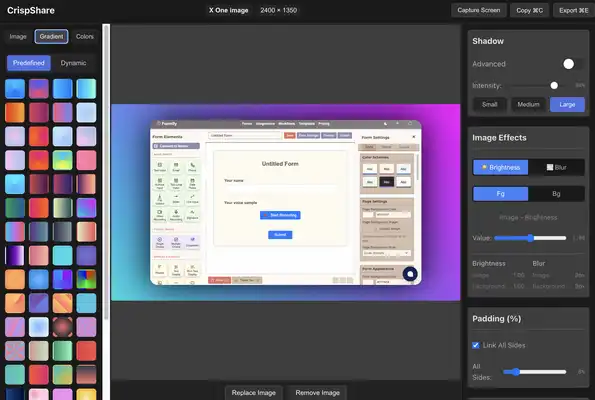
Why CrispShare?
Beautiful Backgrounds
Add artistic backgrounds, shadows, and neon-like glows in seconds.
Mesmerize your audience
Make your image stand out, whether you're sharing on X, LinkedIn, or Instagram or anywhere else.
Showcase Your Work
Present your work, your product, your screenshot with a professional look elegantly.
Neon & Artistic Styles
Unique filters and effects to make your images truly stand out.
Easy Sharing
Download or share your beautified images directly.
Privacy Focused
Your images are processed securely on your device.
Ready to Create?
Ready to make your images & screenshots fantastic to share and look at?
Launch the EditorFrequently Asked Questions
What image formats and resolutions does CrispShare support?
CrispShare supports common image formats and offers predefined resolutions optimized for social media platforms including Instagram posts, stories, Twitter headers, LinkedIn banners, and more. You can also set custom dimensions to fit your specific needs.
What background options are available?
Choose from our curated collection of predefined gradients, upload your own custom images, or create solid color backgrounds. Our gradient library includes trending color combinations perfect for modern designs.
Can I take screenshots directly in the app?
Yes. In a browser that supports screen sharing, choose a tab, window, or screen in the capture picker. To show only one app, pick its window and close anything private first. You can also upload an existing screenshot if browser capture is unavailable.
How can I export and share my creations?
Export your beautified images as high-quality PNG files for download, or copy them directly to your clipboard for instant pasting into social media posts on X (Twitter), LinkedIn, and other platforms.
Is CrispShare free to use?
Yes, CrispShare is totally free to use! We would greatly appreciate it if you would like to credit CrispShare.com with a link and @FoxOnTheRunTr (developer's X/Twitter handle).
Do I need to sign up or create an account to use CrispShare?
No sign-in is required! CrispShare is completely frictionless - you can start beautifying your images immediately without creating an account or providing any personal information. Just visit the editor and start creating.
How does CrispShare protect my privacy and data?
CrispShare doesn't store anything on the server side - all image processing is done entirely on the client side (in your browser). This means your images never leave your device unless you explicitly choose to download or share them. Perfect for privacy-conscious users!
Can I use CrispShare to create Product Hunt launch images?
Yes. Capture the tab or window that shows one useful workflow. Leave enough room around the interface to keep labels readable, then export a PNG. See Product Hunt Launch Checklist And Tips for launch preparation.